
User Manual

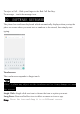

Once your SIM cards are installed turn on your phone and wait a few minutes for
your phone to find a network.
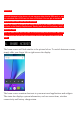
Then select the Call icon. Here you can dial a number or select a contact
from your stored contacts list to call. You can also view outgoing and incoming
calls that have been made, as well as adding or removing contacts.
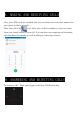
To answer a call – Slide your finger to the blue Call Answer key.
8. MAKING AND RECEIVING CALLS
9. ANSWERING AND REJECTING CALLS