
User Manual

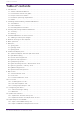


Table Of Contents
- Yamaha LAN Monitor for Win
- Table of contents
- 1. Introduction
- 2. Installing and uninstalling Yamaha LAN Monitor
- 3. Starting and exiting Yamaha LAN Monitor
- 4. Yamaha LAN Monitor screen structure
- 5. Network settings on the computer
- 6. Basic operation
- 7. Menu bar
- 8. Toolbar and display area
- 9. Map screen
- 10. List screen
- 11. Configuring the device
- 12. Update the firmware
- 13. Import/Export the CONFIG
- 14. Resources
- 15. Troubleshooting
-

2. Installing and uninstalling Yamaha LAN
Monitor
2.1. Installation
Follow the steps below to install Yamaha LAN Monitor.
1.
Double click the downloaded file.
The Yamaha LAN Monitor setup dialog box appears.
If the “User Account Control” dialog box appears, click [Yes].
2. Perform the installation as directed in the screen.
During the installation procedure, a dialog box will ask you to install the WinPcap
and Dante Discovery / Dante Control and Monitoring functions. If the WinPcap
function has not been installed, install it as directed. If you use Yamaha switches
on the Dante network and if you have not installed the Dante Discovery/Dante
Control and Monitoring functions, install these functions in addition to the
WinPcap function.
2.2. Uninstallation
You can uninstall Yamaha LAN Monitor from the Control Panel.
The appearance of the control panel will differ depending on the version of Windows.
1. Go to [Control Panel] → [Programs and Features] or [Uninstall a program], select “Yamaha LAN
Monitor” and then click [Uninstall] or [Uninstall or change].
A dialog box appears.
2. Perform the uninstallation according to the onscreen instructions.
◦ If the “User Account Control” dialog box appears, click [Yes].
◦ When the uninstallation of Yamaha LAN Monitor is completed, a dialog box
will ask you to uninstall the Dante Discovery/Dante Control and Monitoring
functions.
Perform the uninstallation as directed in the screen.
However, the Dante Discovery / Dante Control and Monitoring function will
not be properly uninstalled if another application that uses this function
(such as Dante Controller) is currently installed.
◦ WinPcap and Dante Discovery / Dante Control and Monitoring functions will
not be uninstalled. If you want to uninstall these functions as well, make
sure that other applications are not using them, and then uninstall them
individually using [Uninstall] or [Uninstall or change].
2.3. Installing Dante Controller
Dante Controller must also be installed to launch Dante Controller from Yamaha LAN Monitor. For
details on installing Dante Controller, refer to the “Dante Controller User Guide.”
You can download Dante Controller and the Dante Controller User Guide from the downloads page of
the website below.
https://www.audinate.com/products/software/dante-controller
2. Installing and uninstalling Yamaha LAN Monitor
8 | Yamaha LAN Monitor for Win User Guide