
User Manual

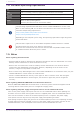

Table Of Contents
- Yamaha LAN Monitor for Mac
- Table of contents
- 1. Introduction
- 2. Installing and uninstalling Yamaha LAN Monitor
- 3. Starting and exiting Yamaha LAN Monitor
- 4. Yamaha LAN Monitor screen structure
- 5. Network settings on the computer
- 6. Basic operation
- 7. Menu bar
- 8. Toolbar and display area
- 9. Map screen
- 10. List screen
- 11. Configuring the device
- 12. Update the firmware
- 13. Import/Export the CONFIG
- 14. Resources
- 15. Troubleshooting
-

1.4. Software operating requirements
OS macOS 10.13.x / 10.14.x / 10.15.x / 11.x / 12.x / 13.x
CPU Intel Core family processor, Apple silicon with Rosetta 2 installed
Storage 200 MB or more free space (not including the Dante Controller)
Display Resolution: 1280 x 800 or higher
Other
Mouse or other pointing device
Ethernet (This will not work via wireless LAN.)
The operating requirements listed above are for Yamaha LAN Monitor version 1.9.3.
Refer to the following URL for the latest information on the current version of the
software and operating requirements.
http://www.yamaha.com/products/en/network/
https://www.yamahaproaudio.com/
Depending on the computer you’re using, the operating requirements might be greater
than listed above.
This software requires one or more L2MS-compatible Yamaha switches or Yamaha
wireless LAN access points to be found on the network.
Note that this software will not function until an L2MS-compatible Yamaha switch
or Yamaha wireless LAN access point is found.
1.5. Notes
Notes regarding device detection
• Switches made by another manufacturer and agents and devices that are subordinate to a router
made by another manufacturer cannot be shown correctly.
• Devices that are connected to a switch made by another manufacturer are shown as devices
connected to the immediately previous agent. However, depending on the structure of the
network, it might not be possible to show them.
• Do not connect any L2MS managers other than Yamaha LAN Monitor on the network. Also, only one
Yamaha LAN Monitor can be used in the same network.
• Connect Yamaha LAN Monitor directly to the agent. If there is a device other than the agent
between Yamaha LAN Monitor and the agent, the terminal or agent may not be recognized
correctly.
Notes regarding SWX2100/SWR2100P series PoE switch detection
When an SWX2100/SWR2100P series PoE switch is detected, power will also be supplied to PoE
receiving devices connected to ports not configured to supply power.
Notes regarding the power supply interruption function for the Yamaha PoE switch
Turn off the power supply interruption function for the Yamaha PoE switch when updating the
firmware version of a PoE receiving device which is supplied power from the Yamaha PoE switch.
Turn this function back on when the firmware update process is complete. The power supply
interruption function may interrupt the power supply while updating firmware.
Interrupting the power supply may prevent the firmware update process from completing normally,
possibly making the device unusable. To turn off the power supply interruption function for the
Yamaha PoE switch, clear the Keepalive check box in the“Connected Devices” view.
1. Introduction
6 | Yamaha LAN Monitor for Mac User Guide