
Specifications
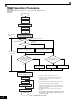
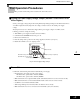


Trial Operation Procedures
4-9
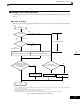
• Set the number of rotations per pulse in F1-01 (PG Constant). If there is a reduction gear between the
motor and PG, set the reduction ratio in F1-12 and F1-13 in advanced programming mode.
• Perform stationary autotuning for the line-to-line resistance only if the motor cable is 50 m or longer for
the actual installation or the load is heavy enough to produce stalling. Refer to the following section on
Autotuning for details on stationary autotuning.
Open-loop Vector Control 1 (A1-02 = 2)
Perform autotuning. If the motor can be operated, perform rotational autotuning. If the motor cannot be oper-
ated, perform stationary autotuning. Refer to the following section on Autotuning for details on autotuning.
Flux Vector Control (A1-02 = 3)
Perform autotuning. If the motor can be operated, perform rotational autotuning. If the motor cannot be oper-
ated, perform stationary autotuning. Refer to the following section on Autotuning for details on autotuning.
Open-loop Vector Control 2 (A1-02 = 4)
Perform autotuning. Be sure to perform rotational autotuning. Refer to the following section on Autotuning for
details on autotuning.
" Autotuning
Use the following procedure to perform autotuning to automatically set motor parameters when using the vec-
tor control method, when the cable length is long, etc.
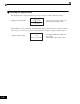
! Setting the Autotuning Mode
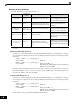
One of the following three autotuning modes can be set.
• Rotational autotuning
• Stationary autotuning
• Stationary autotuning for line-to-line resistance only
Always confirm the precautions before autotuning before performing autotuning.
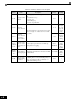
Rotational Autotuning (T1-01 = 0)
Rotational autotuning is used only for open-vector control. Set T1-01 to 0, input the data from the nameplate,
and then press the RUN Key on the Digital Operator. The Drive will stop the motor for approximately
1 minute and then set the required motor parameters automatically while operating the motor for approxi-
mately 1 minute.
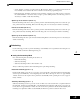
Stationary Autotuning (T1-01 = 1)
Stationary autotuning is used for open-vector control or flux vector control. Set T1-01 to 1, input the data from
the nameplate, and then press the RUN Key on the Digital Operator. The Drive will supply power to the sta-
tionary motor for approximately 1 minute and some of the motor parameters will be set automatically. The
remaining motor parameters will be set automatically the first time operation is started in drive mode.