
User's Manual





Printer head
If the print is so light even after ink ribbon replacement, clean the printer
head.
*Turn [OFF] the breaker of the packing machine in advance.
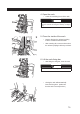
1. Remove the ink ribbon.
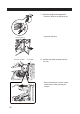
2. Clean the printer head.
Wipe the surface of the printer •
head with an alcohol-moistened
printer head cleaner (provided).
CAUTION
Be sure to turn off the breaker of the packing machine
before using alcohol.
3. Attach an ink ribbon.
See Page 57〜59 for the removal •
of the ink ribbon.
See Page 59 for the attachment •
of the ink ribbon.
Ribbon tension bar
Ribbon guide
81