
Owner`s manual




24
Deva IV and Deva V Owner’s Manual
Chapter 5
CUR Total Folder
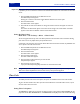
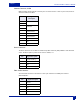
The CUR TOTAL FOLDER button opens the INTERNAL DISK FOLDERS menu providing access to the
disk directory and labeling functions.
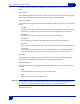
Scene Take Notes
The bottom button opens the SCENE TAKE NOTES Meta Data Entry menu.
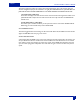
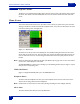
View (‘V’)
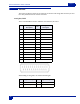
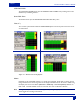
The ‘V’ button cycles between 4 different HOME SCREEN layouts. The four layouts for the home screen
are shown below.
Figure 5-2 Home Screen Viewing Options
Meters
Depending on the model DEVA, either 8 or 10 tracks can be displayed. Tracks which are shown, but not
being recorded to have a line through them on the display. Individual tracks can be shown or hidden using
the Display # of Home screen Meters (
Main Menu > DEVA Setup > Internal Sample Rate). Ballistics are
Peak / Hold. The Peak Hold Bar remains for 5 seconds. The meter is calibrated in decibels.
Hint: Pressing the backspace button on the DEVA keypad while pressing the appropriate meter on the Home
Screen toggles the recording of that channel.