
Owner`s manual



Deva IV and Deva V Owner’s Manual
Chapter 5
55
Stored notes can be used in for any segment and folder.
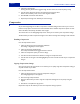
Clear Note
Allows you to clear any custom notes. You cannot clear any of the default notes stored in Note boxes 1
through 8.
Stored Notes
Pressing any of the Note boxes places the note into the segments metadata. The up and down arrows
allow you to scroll through all 20 notes.
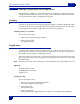
Segment
Allows you to select any previous segment to enter data. Data can be edited at any time. You have two
options if you wish to edit Metadata after the fact. You can use a re-writable media such as DVD-RAM, or a
FireWire hard drive after you have finished editing your Metadata.
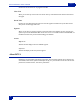
Arrows
Right Arrow
Advances the data display to the next available segment.
Left Arrow
Advances the display to the next previous segment.
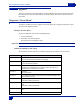
About DEVA
Displays the current hardware and software information. The information includes current firmware ver-
sion installed, serial number, options installed (Mix-12, EQ, etc.), total number of hours the unit has been
po
wered on, hardware revision, and memory information.