
User Manual



31
4.7. Time Zone
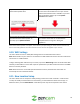
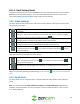
This menu allows the user to modify or update time zone features related to your camera.
To adjust the time zone for your camera, tap on the Time Zone field and select your time zone from the
menu. If daylight savings time is applicable for your area and would like to enable this feature, toggle
the DST switch to the On position. When you have finished setting your time zone settings, click on the
Save icon to save and apply your settings.
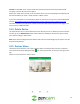
4.8. Device Sharing
Device sharing allows you to add specific Zencam users to your account. When you add a shared user,
the shared user will have access to your camera and features such as live viewing, recording, playback,
and two-way audio.
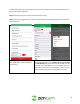
Step 1: Please log into your Zencam account via the Zencam Security app.
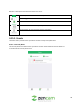
Step 2: Once you are logged into your camera, please select the settings (gear wheel) icon in the upper
right-hand corner to access the settings menu.
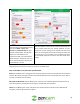
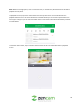
3. In the settings menu, please click on "Device
Sharing".
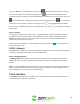
4. In the device sharing menu, please click on,
"Add a Shared User".