
User Manual



32
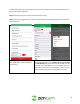
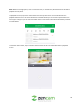
5. In the Add a Shared User menu, please enter a
registered Zencam account email you would like
to share your camera feed with. Once you have
entered in the email address you would like to
share your camera with, please press "OK" to
continue.
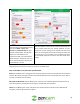
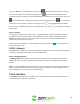
6. Once you have pressed OK, you will be
prompted as to whether you would like to still
add the shared user to your device. If you would
like to proceed with the process, please press
"OK", if not there is also an option to cancel the
process. Tap OK to continue.
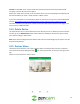
Note: Once you have completed the device sharing process you will then see the added user in your
"Live View Sharing" menu. This will indicate that the shared user is successfully entered your list of
authorized users that can view your camera's live feed.
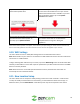
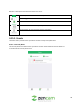
4.9. Firmware Update
This menu allows the user to view their current status of their firmware as well as the ability to update
firmware if necessary. If a firmware update is not necessary, a No Updated Version notification will be
displayed. However, if a red dot is displayed in this field, a firmware update is available for this camera.
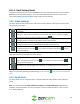
To update firmware, follow the steps provided below.