
User Manual



39
Note: Without a storage option, such as a cloud account, or microSD card, the device will not be able to
playback security alerts.
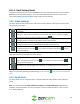
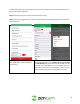
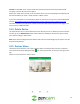
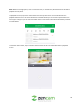
To playback an event, tap on the event listed in the security alerts menu. You will be directed to a
playback selection menu. This menu will feature a calendar where you can choose a specific date of an
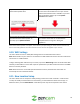
event (up to 7 days) or you can access the latest event. A new motion event will be denoted by a red dot
as shown below:
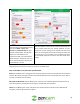
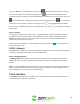
To view the motion event, tap on a motion event found in this list. You will be directed to a playback
screen.