
User Manual

42
4.15.6. My Saved Files
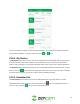
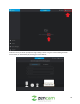
The My Saved Files menu allows user to view snapshots and recordings that were directly taken from
the device. These are different from downloaded events as they are directly retained from manual
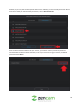
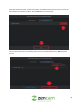
recordings that are made by the user. Below is a screenshot of this menu:
At the top of the menu you will notice a selection bar. The ( ) icon represents manually recorded
video and the ( ) icon represents snapshots.
4.15.6.1. Playing Back Recordings
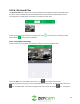
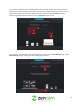
To play a video, tap on the video you would like to play to access the playback menu.
Tap on the Play icon in the middle of the screen, or the icon located in the time bar.
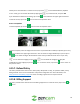
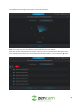
To scroll through the recording, use the included slide bar in the time bar. To listen to audio, click on the
icon to enable audio. To view the recording in full screen mode, tap on the icon. The app also