
User Manual

44
4.15.9. Support
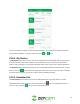
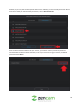
This menu provides users instant access to the products support page. On this page you can find
informational articles and videos pertaining to your product. You can also visit zencam.com/support to
visit this page directly. To exit this menu, tap on the ( ) or ( ) icons.
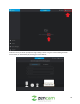
4.15.10. Leave Feedback
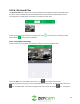
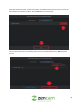
This menu allows users to provide honest feedback regarding their Zencam experience. We take your
feedback seriously. Let us know how we can improve the app and ensure you have a better experience.
In this section you can, write a review, visit the support center, contact Zencam support, or visit our
facebook page. To exit this menu, tap on the ( ) icon in the upper left-hand corner.
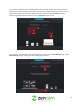
4.15.11. About
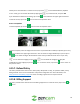
This option allows users to view which version of the Zencam Security app they are using as well as
provides a quick link to the Zencam Privacy Policy. To exit this menu, tap on the ( ) icon in the upper
left-hand corner.
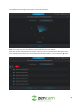
4.15.12. My Devices & Shared Devices
These toggle switches are used to enable push notifications and motion detection for all connected
devices on your account on both main accounts and other shared devices. To turn off push notifications,
tap the toggle switch to disable these features.
4.15.13. Period
This section allows users quick access to their account recording schedule as it pertains to motion
detection. For more information on how to set a schedule, refer to section 4.5.2.1. Schedule.
4.15.14. Doorbell Tones
This section is setup for WiFi doorbell modification only and does not pertain to this model camera.
4.15.15 Fingerprint Login
This toggle switch allows users to set fingerprint login as an option to logging into their Zencam account.
This is useful to protect your account from unauthorized logins. To set this feature, you will have to set
the fingerprint feature on your mobile device first before toggling this switch to the on position.
4.15.16. Clear Cache
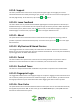
This option allows users to cleared unwanted cache from the system. The current cache data stored by
the app will be presented in MB. To clear cache, tap on the Clear Cache option, and tap OK. All cache
will then be removed from the system.