
User Manual

49
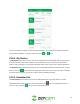
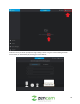
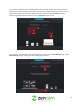
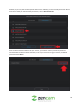
However, if you only want to add a specific device to the software, you can manually select each device
from the list. After you have selected your devices, click on Add To Account.
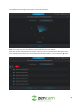
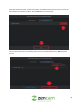
Once the device has been added onto your account, you will then need to provide the password
associated with the device. Please remember, if this is your first time using your device, the default
password will be admin.