
Installation Guide


Page 36 of 40 802411 - HT Compact Commercial BC, BCHA-AV, AIO, Installation Instructions - Aug 2015 - V2.01
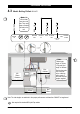
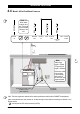
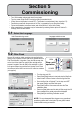
5.4 - Boiling Calibration
Commissioning
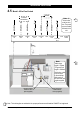
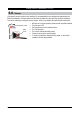
5.5 - Booster
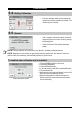
•
Press the calibration button and the system will
commence the Boiling calibration procedure. This
will take aprox 5-6 minutes.
•
Upon completion, a Booster reminder screen will
appear and allow you to return home by pressing
the [Home] button.
•
Check the Date and Time settings (See Note
below)
To enabled when a Booster unit is installed.
NOTE: Failing to make the correct selection for the “Booster”, will affect product performance.
NOTE: Depending on your location you may need to re-set the internal clock. See section G of the user
guide to check and if necessary, reset the Date and Time for your time zone.
1. Press the [MENU] button for main menu.
2. Press the [Install] button.
3. Press the [Booster] button.
4. In the next screen, press YES to enable the Booster.
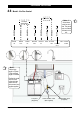
5. Turn the Booster ON
6. Water must be run through the Booster for a min of 30
seconds, before the heater will activate.
7. Dispense boiling water for 30secs and check the
Booster outlet hose is warm when the boiling water
tank is replenishing.
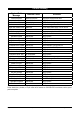
HydroTap Booster Screen