
User manual







Copyright © 2007 by Futures, Inc. All rights reserved
13
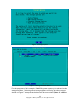
Figure - 4 Date / Time Set Instructions
The screen is self-explanatory. The input string will be processed when the
[OK] button is selected.
The next screen instructs the user to select a storage option, and the screen
after that provides a menu for the user to select a storage device. Figure 5
indicates choices for selection: system memory, USB storage devices, firewire
storage devices, and hard drive partitions. Testing has proven that PCMCIA
storage devices are functional as long as the devices are recognized by the
operating system. Figure 6 provides the illustration of the selection menu.
Should the user wish to make a change to the storage selection or accidentally
hit the wrong key, hitting the numeral nine key will allow for re-selection of
storage area.