
User manual






Copyright © 2007 by Futures, Inc. All rights reserved
25
After General Configuration (All Versions):
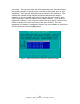
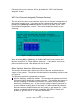
After the user selects [OK] from the above screen, the system will adjust all
configuration settings of the system as defined by the user and start Kismet. If
Kismet fails to start, more than likely a given card failed to enter monitor
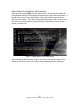
mode for the system. If the WiFi card(s) entered monitor mode correctly, the
user will see a screen similar to the following, followed by a Kismet screen
similar to that shown.
Figure - 17 Ready Banner with Kismet Started
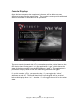
And immediately following this screen, the system will take the user to the
Kismet screen (F10), which will initially look something like the following: