
User manual






Copyright © 2007 by Futures, Inc. All rights reserved
27
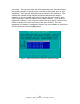
The recommended way to terminate a Kismet session is with “Q” =
<shift>+<q> in the main Kismet screen. Kismet will shutdown cleanly.
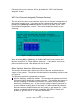
Removal of a WiFi network adapter during collection will also cause Kismet to
exit and return to the WiFi Device Selection screen.
It has been observed that some WiFi network adapters may cause the system to
freeze/lock-up if removed, depending on the system hardware and WiFi device
combination.