
User manual






Copyright © 2007 by Futures, Inc. All rights reserved
30
Kismet
Kismet is an 802.11 layer2 wireless network detector, sniffer, and intrusion
detection system. Kismet will work with any wireless card which supports raw
monitoring (rfmon) mode, and can sniff 802.11b, 802.11a, and 802.11g traffic.
Many Internet web sites are devoted to tutorials on how to install and properly
configure Kismet—in many cases, complex modifications to the Linux kernel are
required to get Kismet to work. WhirlWind comes preconfigured and ready to
use Kismet, provided one of the supported wireless network adapters is used.
Kismet is a completely passive tool. It collects packets, detects standard
named networks, and (given time) detects hidden networks through network
traffic analysis (called decloaking).
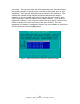
One of the most convenient features of Kismet is the “Help” menu system. By
pressing the “h” key from any screen a help menu will pop-up displaying the
command keys that are available for that particular screen.
The following table illustrates what the user will see on the Kismet Panels
Interface upon pressing the “h” key.
QUICK REFERENCE
Key Action
e List Kismet servers
z Toggle fullscreen zoom of network view
m Toggle muting of sound and speech
t Tag (or untag) selected network
g Group tagged networks
u Ungroup current group
c Show clients in current network
L Lock channel hopping to the current network channel
l Lock channel hopping to the current network channel & bssid
H Return to normal channel hopping
+/- Expand/collapse groups
^L Force a screen redraw.