
User manual




Copyright © 2007 by Futures, Inc. All rights reserved
32
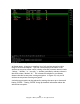
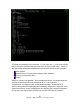
WEP (W) flags show the type of encryption detected on the network.
N No encryption detected
Y Standard WEP encryption
O Other encryption methods detected. See the network details for more
information.
SELECTING NETWORKS:
The default sorting method is “Last Heard Descending”. This keeps the most
recently active networks on the top of the display. Sort the network display by
one of the other methods to select and group networks. Autofit mode changes
the location of networks to frequently make selecting a single network
realistic.
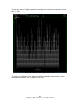
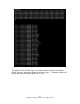
If all of the requested columns can not be fit on the screen, the left and right
keys can be used to scroll the column display. The actual help menu screen
will look similar to the one below.