
User manual




Copyright © 2007 by Futures, Inc. All rights reserved
33
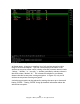
Figure - 22 Kismet Help Menu
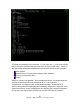
During the boot-up process, the user will select a WiFi device(s) for Kismet to
utilize. Once the WiFi source(s) is identified and the card is placed in Monitor
mode, Kismet launches. The opening screen of Kismet looks similar (colors may
vary) to this: