
User manual




Copyright © 2007 by Futures, Inc. All rights reserved
35
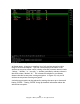
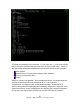
Figure - 24 Access Point (AP) Information
To escape this detailed view, press the “q” key (note the “q” will close out any
pop-up windows in Kismet and return the user to the previous view). Some of
the interesting information displayed on the Network Details screen includes:
MAC address
Manufacturer of access point (based on MAC address)
Factory configuration alert
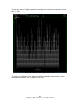
Signal
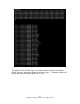
Should a “factory configuration” alert message be shown, it indicates that the
wireless access point has been installed with an “out of the box”
configuration—no changes made to the default settings. Kismet alerts to
factory configurations because they are extremely dangerous if deployed on an
enterprise network—these configurations are typically very insecure (designed
to help users get the product running with as little difficulty as possible).