
User manual




Copyright © 2007 by Futures, Inc. All rights reserved
39
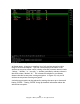
lock. This menu is scrollable by using the up and down arrow keys. Please
note that the window only shows 3 of the cards at a time, and scrolling through
the list is necessary to see all possible selections in the list
Figure - 28 Kismet Selection Window Perform Locking (Multiple Card System – Platinum)
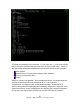
Next, press the “d” key to begin to “dump” the contents of data packets to the
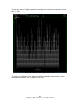
screen. The following screenshot depicts an actual wireless environment.