
AP+4 Wireless Router/Access Point User Guide


Chapter 4. Wireless Configuration 21
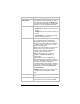
Parameter Select or enter . . .
Disable Wireless
LAN Interface
To deny access to the AP+4 network by
wireless devices, select this check box. When
you disable the wireless LAN, the WLAN LED
on the front panel stops flashing, indicating that
the AP+4 is no longer broadcasting its SSID.
Band
Select:
• 2.4 GHz B if you have a network of 802.11b
devices
• 2.4 GHz G if you have a network of 802.11g
devices
• 2.4 GHz B+G if your network includes both
802.11b and 802.11g devices
Mode
Select a wireless operating mode:
AP. In this mode the AP+4 handles local
network traffic wirelessly and through its four
LAN ports, and communicates via its WAN port
to an ADSL modem, cable modem, or other
Internet-connected device.
Client. In this mode the AP+4 connects via its
LAN ports to up to four game consoles or
computers, and links them wirelessly to a
Zoom X6 or other wireless router.
WDS. In this mode the AP+4 acts as a
Repeater in WDS (Wireless Distribution
System) mode.
Note: The AP+4 can act as a Repeater in
either Universal Repeater mode (see below) or
WDS mode. Most users who want to configure
the AP+4 as a repeater should choose
Universal Repeater mode, because it is easier
to set up than a WDS network and it provides
better performance. (See Error! Reference
source not found.).
AP+WDS. In this mode the AP+4 acts as both
an Access Point and a Repeater in WDS
mode.
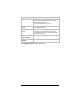
Network Type (Client mode only) Select Infrastructure or Ad
Hoc.
SSID
Enter the AP+4’s SSID (network name). All
wireless devices should use the same SSID.