
User's Manual




Chapter 15 Maintenance
NWA1100-N User’s Guide
120
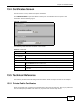
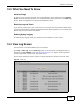
Click Maintenance > Client Information. The following screen displays.
Figure 63 Client Information
The following table describes the labels in this screen.
15.5 Channel Scan Screen
Use this screen to know whether a channel is used by another wireless network or not. If a channel
is being used, you should select a channel removed from it by five channels to completely avoid
overlap.
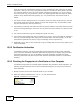
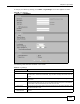
Click Maintenance > Channel Scan to display the screen shown next.
Wait a moment while the NWA compiles the information.
Figure 64 Channel Scan
Table 41 Client Information
LABEL DESCRIPTION
# This is the index number of an associated wireless station.
MAC Address This field displays the MAC address of an associated wireless station.
ssid This field displays the SSID to which the wireless station is associated.
Association Time This field displays the time a wireless station first associated with the NWA.
Signal Strength This field displays the RSSI (Received Signal Strength Indicator) of the wireless
connection.
Refresh Click Refresh to reload the screen.