
User's Manual




Chapter 4 Tutorial
NWA1100-N User’s Guide
34
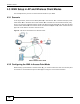
4.2.3 Configure the VoIP Network
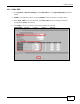
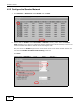
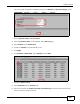
1 Go to Wireless > SSID. Select VoIP_SSID and click Edit.
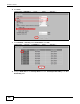
2 Set the SSID to VoIP_SSID. Select SecProfile2 as the Security Profile for the VoIP network.
Select the Hidden SSID check-box.
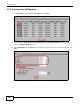
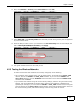
3 Select WMM-Voice in the QoS field to give VoIP the highest priority in the wireless network. Click
Save.