
User's Manual



Chapter 8 RADIUS Screen
NWA1100-N User’s Guide
85
RADIUS is a simple package exchange in which your AP acts as a message relay between the
wireless client and the network RADIUS server.
You should know the IP addresses, ports and share secrets of the external RADIUS server and/or
the external RADIUS accounting server you want to use with your NWA. You can configure a
primary and backup RADIUS and RADIUS accounting server for your NWA.
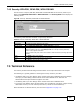
8.4 The RADIUS Screen
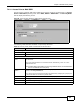
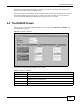
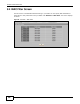
Use this screen to set up your NWA’s RADIUS server settings. Click Wireless > RADIUS. The
screen appears as shown.
Figure 40 Wireless > RADIUS
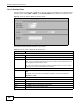
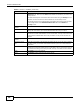
The following table describes the labels in this screen.
Table 21 Wireless > RADIUS
LABEL DESCRIPTION
Index Select an index number.
ProfileName This is the name that identifying this RADIUS.
NAS Identifier Specify the NAS identifier (a RADIUS attribute) that the NWA uses to identify itself to
a RADIUS server for authentication.
RADIUS Option Configure the fields below to set up user authentication and accounting.
Primary Select Active to enable user authentication/accounting through an external server.