
User's Manual




6
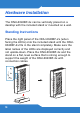
b. Wind the fiber-optic cable around the tray in the
ONU-6040BF-2x.
c. Connect the fiber-optic connector into the PON
port.
d. Put the top cover back.
To avoid possible eye injury, do NOT look into an
operating fiber-optic module’s connector.
2. LAN: Use the included Ethernet cable to connect the
LAN port to a computer.
2
3
1
4