
User's Manual


Chapter 3 Phone Use and Configuration
P-27XX Series User’s Guide
24
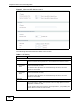
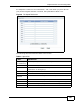
Figure 8 Advanced SIP Settings (part 4)
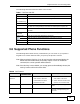
The following table describes the labels in this screen.
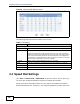
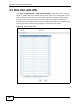
3.4 Speed Dial Settings
Click VoIP > Phone Book > Speed Dial to open this screen. This is where you
can store pre-configured telephone numbers as speed dial numbers.
When you press a speed dial number on your phone, the telephone number is
dialed automatically. For example, if you configure speed dial number ‘#01’ with
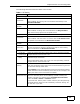
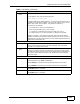
Table 5 SIP Setting
LABEL DESCRIPTION
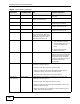
Codec Setting
Type This lists the available voice codecs.
Priority Use this section to indicate the codec priority.
Codecs are engaged in order of priority from 1 to 8, with 1 being the
highest on the list. The ZyXEL Device cycles through the codecs until it
finds one that matches the device of the other party in the telephone
conversation. If the ZyXEL Device does not have any codecs in common
with the other device then the call is dropped.
Mode Select a pulse code modulation for the G.723 codec.
Back Click this to return to the previous screen with saving your changes.
Apply Click this to save your changes and then return to the previous screen.
Reset Click this to reset the options in this screen to their last saved settings.