
User's Manual


Chapter 3 Phone Use and Configuration
P-27XX Series User’s Guide
27
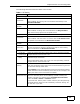
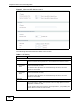
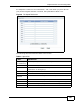
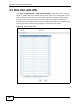
The following table describes the labels in this screen.
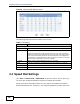
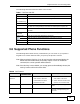
3.6 Supported Phone Functions
The following table shows the key combinations you can enter on your phone's
keypad to use certain features after you pick up the phone's receiver.
Note: After pressing the flash key, if you do not issue the sub-command before the
default sub-command timeout (2 seconds) expires or issue an invalid sub-
command, the current operation will be aborted.
Note: If the flash key is not available, you can tap (press and immediately release) the
hook by hand to achieve the same effect.
Table 7 Dial Plan with URL
LABEL DESCRIPTION
Index This indicates the index number of each entry.
Port Setting
(P-2702R only)
Select the phone port you want to configure here.
SIP Number Enter the SIP number you want the ZyXEL Device to call.
Destination Enter the IP address or domain name of the party you want to call when
you dial the corresponding SIP number to make a peer-to-peer call.
Active Check this to select an entry so it can be enabled, removed or moved
up/down.
Remove
Selected
Click this to clear the settings for the selected entry(ies).
Remove All Click this to clear the settings for all entries.
Click the icon to change the position of an entry in the list.
Apply Click this to save your changes and then return to the previous screen.
Reset Click this to reset the options in this screen to their defaults.
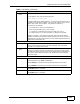
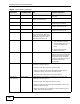
Table 8 Call Features
FUNCTION
KEY
COMBINATIONS
USA EUROPE (DEFAULT)
Call-Hold / Call-
Retrieve
FLASH 1. Put the current call on hold
and create a dial tone.
2. Switch back and forth
between two calls.
1. Put the current call on hold
and create a dial tone.
2. Switch back to the first call
(if there is no second call).
FLASH 0 Drop a call previously put on
hold.
FLASH 1 Drop the current call and
resume a call previously put
on hold.