
User's Manual


Chapter 3 Phone Use and Configuration
P-27XX Series User’s Guide
28
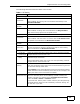
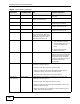
FLASH 2 Switch back and forth between
two calls.
Call-Waiting FLASH Put the current call on hold to
answer an incoming call.
FLASH 0 Reject an incoming call which
is waiting for an answer.
FLASH 1 Drop the current call and
answer the incoming call.
FLASH 2 Put the current call on hold to
answer an incoming call.
3-way Calling FLASH Put a current call on hold to
place a second call. After the
second call is successful, press
the flash key again to have a
three-way conference call.
FLASH 2 1. Separate the current three-
way conference call into
two individual calls (one is
on-line, the other is on
hold).
2. Switch back and forth
between two calls.
FLASH 3 Put a current call on hold in
order to make a second call by
pressing the flash key. When
the second call is answered,
press the flash key and then 3
to create a three-way
conversation.
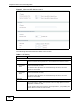
Blind Transfer FLASH *98# Do the following to transfer an incoming call (that you have
answered) to another phone.
1. Press the flash key to put the caller on hold.
2. When you hear the dial tone, dial *98# followed by the
number to which you want to transfer the call.
3. After you hear a busy tone, hang up the phone.
Consult-On-
Hold Transfer
FLASH *98# Do the following to transfer an incoming call (that you have
answered) to another phone.
1. Press the flash key to put the caller on hold.
2. When you hear the dial tone, dial the number to which you
want to transfer the call.
3. When the second call is answered, press the flash key and
*98#, then hang up the phone.
Table 8 Call Features (continued)
FUNCTION
KEY
COMBINATIONS
USA EUROPE (DEFAULT)