
User's Manual

Chapter 3 Phone Use and Configuration
P-27XX Series User’s Guide
29
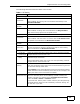
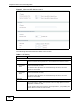
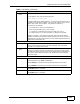
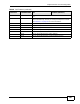
Internal Call #### Call the phone(s) connected to the ZyXEL Device's other phone
port.
Speed dial #01 ~ #10 Press a speed dial number on your phone to have the ZyXEL
Device automatically dial the pre-configured telephone number.
See Section 3.4 on page 24 for more information.
IVR Main Menu #120 Tell you the ZyXEL Device’s WAN IP address.
#121 Tell you the ZyXEL Device’s IP type.
#123 Tell you the ZyXEL Device’s subnet mask.
#124 Tell you the ZyXEL Device’s gateway address.
#125 Tell you the ZyXEL Device’s DNS server address(s).
#126 Tell you the ZyXEL Device’s LAN IP address.
#128 Tell you the ZyXEL Device’s current firmware version.
Table 8 Call Features (continued)
FUNCTION
KEY
COMBINATIONS
USA EUROPE (DEFAULT)