
User's Manual




Chapter 2 Initial Configuration
P-27XX Series User’s Guide
12
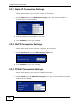
2.2.1 Static IP Connection Settings
Follow these steps if your ISP uses a static IP connection.
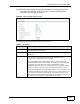
1 Select Static IP from the WAN Access Type menu. The screen changes to
provide options for this setting.
2 Enter the settings as provided by your ISP.
3 Click Finished to save your settings.
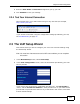
2.2.2 DHCP Connection Settings
Follow these steps if your ISP uses a dynamic IP connection.
1 Select Dynamic IP from the WAN Access Type menu.
2 Click Finished to save your settings.
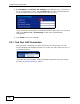
2.2.3 PPPoE Connection Settings
Follow these steps if your ISP uses a PPPoE connection.
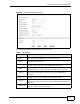
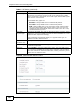
1 Select PPPoE from the WAN Access Type menu. The screen changes to provide
options for this setting.