
User's Manual



Chapter 7 WAN Setup
P-660HW-Tx v3 User’s Guide
104
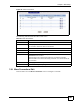
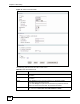
7.5.1 Configuring Advanced Internet Connection Setup
To edit your ZyXEL Device's advanced WAN settings, click the Advanced Setup button in
the Internet Connection screen. The screen appears as shown.
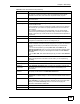
Virtual Circuit ID VPI (Virtual Path Identifier) and VCI (Virtual Channel Identifier) define a virtual
circuit. Refer to the appendix for more information.
VPI The valid range for the VPI is 0 to 255. Enter the VPI assigned to you.
VCI The valid range for the VCI is 32 to 65535 (0 to 31 is reserved for local
management of ATM traffic). Enter the VCI assigned to you.
IP Address This option is available if you select Routing in the Mode field.
A static IP address is a fixed IP that your ISP gives you. A dynamic IP address is
not fixed; the ISP assigns you a different one each time you connect to the
Internet.
If you use the encapsulation type except RFC 1483, select Obtain an IP
Address Automatically when you have a dynamic IP address; otherwise select
Static IP Address and type your ISP assigned IP address in the IP Address
field below.
If you use RFC 1483, enter the IP address given by your ISP in the IP Address
field.
Subnet Mask
(ENET ENCAP
encapsulation only)
Enter a subnet mask in dotted decimal notation.
Refer to the appendices to calculate a subnet mask If you are implementing
subnetting.
Gateway IP address
(ENET ENCAP
encapsulation only)
You must specify a gateway IP address (supplied by your ISP) when you select
ENET ENCAP in the Encapsulation field
Connection
(PPPoA and PPPoE
encapsulation only)
Nailed-Up
Connection
Select Nailed-Up Connection when you want your connection up all the time.
The ZyXEL Device will try to bring up the connection automatically if it is
disconnected.
Connect on
Demand
Select Connect on Demand when you don't want the connection up all the time
and specify an idle time-out in the Max Idle Timeout field.
Max Idle Timeout Specify an idle time-out in the Max Idle Timeout field when you select Connect
on Demand. The default setting is 0, which means the Internet session will not
timeout.
Apply Click Apply to save the changes.
Cancel Click Cancel to begin configuring this screen afresh.
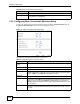
Advanced Setup Click this button to display the Advanced Internet Connection Setup screen
and edit more details of your WAN setup.
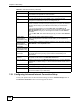
Table 33 Internet Connection (continued)
LABEL DESCRIPTION