
User's Manual



Appendix A Setting Up Your Computer’s IP Address
P-660HW-Tx v3 User’s Guide
301
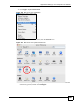
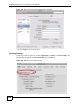
1 Click Apple > System Preferences.
Figure 190 Mac OS X 10.4: Apple Menu
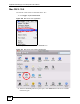
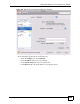
2 In the System Preferences window, click the Network icon.
Figure 191 Mac OS X 10.4: System Preferences
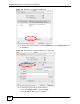
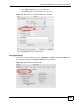
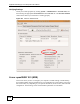
3 When the Network preferences pane opens, select Built-in Ethernet from the network
connection type list, and then click Configure.