
User's Manual


Chapter 7 LAN Setup
P-660HW-Tx v3 Series User’s Guide
123
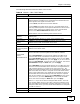
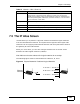
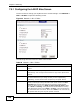
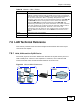
The following table describes the labels in this screen.
Table 25 Network > LAN > IP: Advanced Setup
LABEL DESCRIPTION
RIP & Multicast Setup
RIP Direction Select the RIP direction from None, Both, In Only and Out Only.
RIP Version Select the RIP version from RIP-1, RIP-2B and RIP-2M.
Multicast IGMP (Internet Group Multicast Protocol) is a network-layer protocol
used to establish membership in a multicast group. The ZyXEL Device
supports IGMP-v1, IGMP-v2 and IGMP-v3. Select None to disable
it.
Any IP Setup Select the Active check box to enable the Any IP feature. This allows
a computer to access the Internet via the ZyXEL Device without
changing the network settings (such as IP address and subnet mask)
of the computer, even when the IP addresses of the computer and the
ZyXEL Device are not in the same subnet.
When you disable the Any IP feature, only computers with dynamic IP
addresses or static IP addresses in the same subnet as the ZyXEL
Device’s LAN IP address can connect to the ZyXEL Device or access
the Internet through the ZyXEL Device.
Note: You must enable NAT/SUA in the NAT screen to use the
Any IP feature on the ZyXEL Device
Windows
Networking
(NetBIOS over
TCP/IP)
NetBIOS (Network Basic Input/Output System) are TCP or UDP
packets that enable a computer to connect to and communicate with
a LAN. For some dial-up services such as PPPoE or PPTP, NetBIOS
packets cause unwanted calls. However it may sometimes be
necessary to allow NetBIOS packets to pass through to the WAN in
order to find a computer on the WAN.
Allow between
LAN and WAN
Select this check box to forward NetBIOS packets from the LAN to the
WAN and from the WAN to the LAN. If your firewall is enabled with
the default policy set to block WAN to LAN traffic, you also need to
enable the default WAN to LAN firewall rule that forwards NetBIOS
traffic.
Clear this check box to block all NetBIOS packets going from the LAN
to the WAN and from the WAN to the LAN.
Packet Filter
Incoming Filter
Sets
Protocol Filter Select the protocol filter(s) to control incoming traffic. You may
choose up to 4 sets of filters.
You can configure packet filters in the Packet Filter screen. See
Chapter 12 on page 219 for more details.
Generic Filter Select the generic filter(s) to control incoming traffic. You may choose
up to 4 sets of filters.
You can configure generic filters in the Packet Filter screen. See
Chapter 12 on page 219 for more details.
Outgoing Filter
Sets