
User's Manual


Chapter 8 Wireless LAN
P-660HW-Tx v3 Series User’s Guide
146
8.2.5 Wireless LAN Advanced Setup
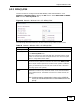
Use this screen to configure advanced wireless settings. Click the Advanced
Setup button in the AP screen. The screen appears as shown.
See Section 8.8.2 on page 158 for detailed definitions of the terms listed in this
screen.
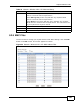
Figure 51 Network > Wireless LAN > AP: Advanced Setup
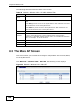
The following table describes the labels in this screen.
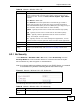
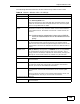
Port Number Enter the port number of the external accounting server.
You need not change this value unless your network administrator
instructs you to do so with additional information.
Shared Secret Enter a password (up to 31 alphanumeric characters) as the key to be
shared between the external accounting server and the ZyXEL Device.
The key must be the same on the external accounting server and your
ZyXEL Device. The key is not sent over the network.
Table 33 Network > Wireless LAN > AP: WPA(2)
LABEL DESCRIPTION
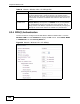
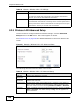
Table 34 Network > Wireless LAN > AP: Advanced Setup
LABEL DESCRIPTION
RTS/CTS
Threshold
Enter a value between 0 and 2432.
Fragmentation
Threshold
This is the maximum data fragment size that can be sent. Enter a value
between 256 and 2432.
Output Power Set the output power of the ZyXEL Device. If there is a high density of
APs in an area, decrease the output power to reduce interference with
other APs. Select one of the following Maximum, Middle or Minimum.
Preamble Select a preamble type from the drop-down list menu. Choices are Long,
Short or Dynamic. The default setting is Long. See the appendix for
more information.