
User's Manual





Chapter 8 Wireless LAN
P-660HW-Tx v3 Series User’s Guide
152
8.5 The WPS Station Screen
Use this screen to set up a WPS wireless network using either Push Button
Configuration (PBC) or PIN Configuration.
Click Network > Wireless LAN > WPS Station. The following screen displays.
Figure 56 Network > Wireless LAN > WPS Station
Release_Co
nfiguration
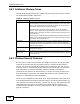
This button is available when the WPS status is Configured.
Click this button to remove all configured wireless and wireless security
settings for WPS connections on the ZyXEL Device.
Apply Click this to save your changes.
Refresh Click this to restore your previously saved settings.
Table 38 Network > Wireless LAN > WPS
LABEL DESCRIPTION