
User's Manual





Chapter 12 Packet Filter
P-660HW-Tx v3 Series User’s Guide
222
12.2.2 Configuring Protocol Filter Rules
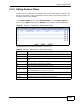
Use this screen to configure protocol filter rules. In the Edit (Protocol Filter)
screen, click an Edit icon to display the following screen.
Figure 92 Security > Packet Filter > Edit (Protocol Filter) > Edit Rule
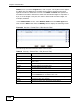
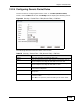
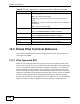
The following table describes the labels in this screen.
Table 63 Security > Packet Filter > Edit (Protocol Filter) > Edit Rule
LABEL DESCRIPTION
Active Select the check box to enable the filter rule.
Protocol Select ICMP, TCP or UDP for the upper layer protocol.
IP Source
Route
Select the check box to apply the filter rule to packets with an IP source
route option. The majority of IP packets do not have source route.
Destination
Address
Enter the destination IP address of the packet you wish to filter. This
field is ignored if it is 0.0.0.0.
Destination
Subnet
Netmask
Enter the IP subnet mask for the destination IP address.
Destination
Port
Enter the destination port of the packets that you wish to filter. The
range of this field is 0 to 65535. This field is ignored if it is 0.