
User's Manual





Chapter 12 Packet Filter
P-660HW-Tx v3 Series User’s Guide
224
Offset (from 0) and the Length fields, both in bytes. The ZyXEL Device applies
the Mask (bit-wise ANDing) to the data portion before comparing the result
against the Value to determine a match. The Mask and Value are specified in
hexadecimal numbers. Note that it takes two hexadecimal digits to represent a
byte, so if the length is 4 bytes, the value in either field will take 8 digits, for
example, FFFFFFFF.
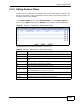
In the Packet Filter screen, select Generic Filter from the Filter Type field.
Then click the Edit button from the Modify field to display the following screen.
Figure 93 Security > Packet Filter > Edit (Generic Filter)
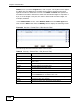
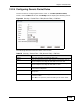
The following table describes the labels in this screen.
Table 64 Security > Packet Filter > Edit (Generic Filter)
LABEL DESCRIPTION
# This is the index number of the rules in a filter set.
Active Use the check box to turn on or off a filter rule.
Filter Type This field displays whether the filter type is a protocol filter or
generic filter.
Offset This field displays the offset value.
Length This field displays the length value.
Mask This field displays the mask value.
Value This field displays the value.
Modify Click the Edit icon to configure a filter rule.
Click the Remove icon to delete a filter rule.
Back Click this to return to the previous screen without saving.
Apply Click this to save your changes.
Cancel Click this to restore your previously saved settings.