
User's Manual





Chapter 12 Packet Filter
P-660HW-Tx v3 Series User’s Guide
227
receiving and sending the packets; that is the interface. The interface can be an
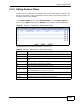
Ethernet port or any other hardware port. The following diagram illustrates this.
Figure 95 Protocol and Generic Filter Sets
12.3.2 Firewall Versus Filters
Below are some comparisons between the ZyXEL Device’s filtering and firewall
functions.
Packet Filtering
• The router filters packets as they pass through the router’s interface according
to the filter rules you designed.
• Packet filtering is a powerful tool, yet can be complex to configure and maintain,
especially if you need a chain of rules to filter a service.
• Packet filtering only checks the header portion of an IP packet.
When To Use Filtering
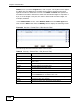
1 To block/allow LAN packets by their MAC addresses.
2 To block/allow special IP packets which are neither TCP nor UDP, nor ICMP
packets.
3 To block/allow both inbound (WAN to LAN) and outbound (LAN to WAN) traffic
between the specific inside host/network "A" and outside host/network "B". If the
filter blocks the traffic from A to B, it also blocks the traffic from B to A. Filters
cannot distinguish traffic originating from an inside host or an outside host by IP
address.
4 To block/allow IP trace route.
Firewall
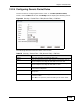
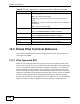
• The firewall inspects packet contents as well as their source and destination
addresses. Firewalls of this type employ an inspection module, applicable to all
protocols, that understands data in the packet is intended for other layers, from
the network layer (IP headers) up to the application layer.
Protocol
Filters
Generic
Filters
NAT
Interface
Route
Incoming
Outgoing