
User's Manual





Chapter 14 Static Route
P-660HW-Tx v3 Series User’s Guide
242
Gateway IP
Address
This field is available when you select Gateway Address from Gateway
Type.
Enter the IP address of the gateway. The gateway is a router or switch on
the same network segment as the device's LAN or WAN port. The
gateway helps forward packets to their destinations.
Gateway Node This field is available when you select Gateway Node from Gateway
Type.
Select a remote node to set the static route. A remote note is a
connection point outside of the local area network. One example of a
remote node is your connection to your ISP. See Section 6.3 on page 107
for details on configuring a remote node.
Back Click this to return to the previous screen without saving.
Apply Click this to save your changes.
Cancel Click this to restore your previously saved settings.
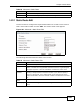
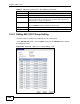
Table 70 Advanced > Static Route: Edit
LABEL DESCRIPTION