
User's Manual




Chapter 16 Quality of Service (QoS)
P-660HW-Tx v3 Series User’s Guide
259
16.3 The Class Setup Screen
Use this screen to add, edit or delete classifiers. A classifier groups traffic into data
flows according to specific criteria such as the source address, destination
address, source port number, destination port number or incoming interface. For
example, you can configure a classifier to select traffic from the same protocol
port (such as Telnet) to form a flow.
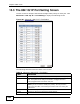
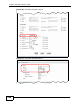
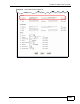
Click Advanced > QoS > Class Setup to open the following screen.
Figure 113 Advanced > QoS > Class Setup
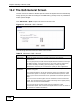
Traffic priority
will be
automatically
assigned by
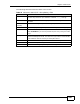
These fields are ignored if traffic matches a class you configured in the
Class Setup screen.
If you select ON and traffic does not match a class configured in the
Class Setup screen, the ZyXEL Device assigns priority to unmatched
traffic based on the IEEE 802.1p priority level, IP precedence and/or
packet length. See Section 16.5.4 on page 267 for more information.
If you select OFF, traffic which does not match a class is mapped to
queue two.
Apply Click this to save your changes.
Cancel Click this to restore your previously saved settings.
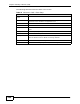
Table 74 Advanced > QoS > General
LABEL DESCRIPTION