
User's Manual




Chapter 17 Dynamic DNS Setup
P-660HW-Tx v3 Series User’s Guide
271
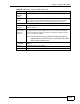
Enable
Wildcard
Option
Select the check box to enable DynDNS Wildcard.
Enable off line
option
This option is available when CustomDNS is selected in the DDNS Type
field. Check with your Dynamic DNS service provider to have traffic
redirected to a URL (that you can specify) while you are off line.
IP Address Update Policy
Use WAN IP
Address
Select this option to update the IP address of the host name(s) to the
WAN IP address.
Dynamic DNS
server auto
detect IP
Address
Select this option only when there are one or more NAT routers between
the ZyXEL Device and the DDNS server. This feature has the DDNS
server automatically detect and use the IP address of the NAT router
that has a public IP address.
Note: The DDNS server may not be able to detect the proper IP
address if there is an HTTP proxy server between the ZyXEL
Device and the DDNS server.
Use specified
IP Address
Type the IP address of the host name(s). Use this if you have a static IP
address.
Apply Click this to save your changes.
Cancel Click this to restore your previously saved settings.
Table 80 Advanced > Dynamic DNS (continued)
LABEL DESCRIPTION