
User's Manual


Chapter 22 Tools
P-660HW-Tx v3 Series User’s Guide
323
Refer to Section 22.1.2 on page 316 to read about configurations that disallow
TFTP and FTP over WAN.
22.2 The Firmware Screen
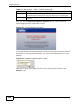
Click Maintenance > Tools to open the Firmware screen. Follow the
instructions in this screen to upload firmware to your ZyXEL Device. The upload
process uses HTTP (Hypertext Transfer Protocol) and may take up to two minutes.
After a successful upload, the system will reboot. See Section 22.1.4 on page 317
for upgrading firmware using FTP/TFTP commands.
Do NOT turn off the ZyXEL Device while firmware upload is in
progress!
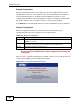
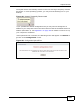
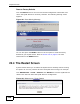
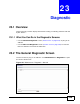
Figure 132 Maintenance > Tools > Firmware
The following table describes the labels in this screen.
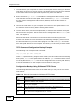
Binary Transfer the file in binary mode.
Abort Stop transfer of the file.
Table 110 General Commands for GUI-based TFTP Clients (continued)
COMMAN
D
DESCRIPTION
Table 111 Maintenance > Tools > Firmware
LABEL DESCRIPTION
Current
Firmware
Version
This is the present Firmware version and the date created.
File Path Type in the location of the file you want to upload in this field or click
Browse ... to find it.