
User's Manual


Chapter 22 Tools
P-660HW-Tx v3 Series User’s Guide
324
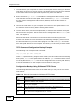
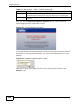
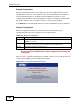
After you see the Firmware Upload in Progress screen, wait two minutes
before logging into the ZyXEL Device again.
Figure 133 Firmware Upload In Progress
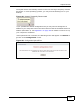
The ZyXEL Device automatically restarts in this time causing a temporary network
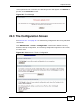
disconnect. In some operating systems, you may see the following icon on your
desktop.
Figure 134 Network Temporarily Disconnected
After two minutes, log in again and check your new firmware version in the
Status screen.
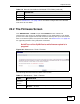
Browse... Click this to find the .bin file you want to upload. Remember that you
must decompress compressed (.zip) files before you can upload them.
Upload Click this to begin the upload process. This process may take up to two
minutes.
Table 111 Maintenance > Tools > Firmware (continued)
LABEL DESCRIPTION