
User's Manual


Chapter 22 Tools
P-660HW-Tx v3 Series User’s Guide
325
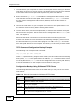
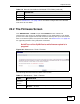
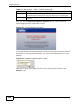
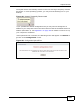
If the upload was not successful, the following screen will appear. Click Return to
go back to the Firmware screen.
Figure 135 Error Message
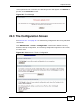
22.3 The Configuration Screen
See Section 22.1.4 on page 317 for transferring configuration files using FTP/TFTP
commands.
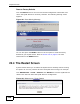
Click Maintenance > Tools > Configuration. Information related to factory
defaults, backup configuration, and restoring configuration appears in this screen,
as shown next.
Figure 136 Maintenance > Tools > Configuration