
User's Manual


Chapter 22 Tools
P-660HW-Tx v3 Series User’s Guide
328
Reset to Factory Defaults
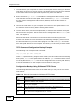
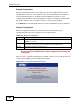
Click the Reset button to clear all user-entered configuration information and
return the ZyXEL Device to its factory defaults. The following warning screen
appears.
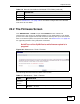
Figure 140 Reset Warning Message
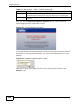
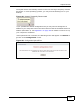
Figure 141 Reset In Process Message
You can also press the RESET button on the rear panel to reset the factory
defaults of your ZyXEL Device. Refer to Section 1.6 on page 27 for more
information on the RESET button.
22.4 The Restart Screen
System restart allows you to reboot the ZyXEL Device remotely without turning
the power off. You may need to do this if the ZyXEL Device hangs, for example.
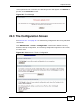
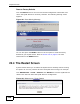
Click Maintenance > Tools > Restart. Click Restart to have the ZyXEL Device
reboot. This does not affect the ZyXEL Device's configuration.
Figure 142 Maintenance > Tools >Restart