
User's Manual


Chapter 23 Diagnostic
P-660HW-Tx v3 Series User’s Guide
330
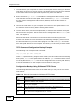
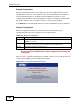
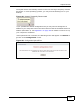
The following table describes the fields in this screen.
23.3 The DSL Line Diagnostic Screen
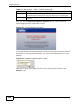
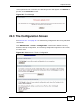
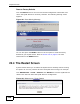
Use this screen to view the DSL line statistics and reset the ADSL line. Click
Maintenance > Diagnostic > DSL Line to open the screen shown next.
Figure 144 Maintenance > Diagnostic > DSL Line
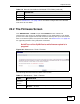
Table 113 Maintenance > Diagnostic > General
LABEL DESCRIPTION
TCP/IP
Address
Type the IP address of a computer that you want to ping in order to test a
connection.
Ping Click this to ping the IP address that you entered.