
User's Manual



P-660HW-Tx v3 Series User’s Guide
35
CHAPTER 3
Status Screens
3.1 Overview
Use the Status screens to look at the current status of the device, system
resources, and interfaces (LAN and WAN). The Status screen also provides
detailed information from Any IP and DHCP and statistics from bandwidth
management, and traffic.
3.2 The Status Screen
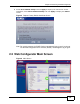
Use this screen to view the status of the ZyXEL Device. Click Status to open this
screen.
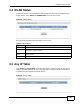
Figure 7 Status Screen