
User's Manual



Chapter 3 Status Screens
P-660HW-Tx v3 Series User’s Guide
39
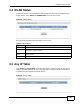
3.4 WLAN Status
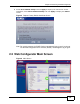
Use this screen to view the wireless stations that are currently associated to the
ZyXEL Device. Click Status > WLAN Status to access this screen.
Figure 8 WLAN Status
The following table describes the labels in this screen.
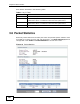
3.5 Any IP Table
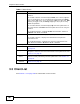
Click Status > AnyIP Table to access this screen. Use this screen to view the IP
address and MAC address of each computer that is using the ZyXEL Device but is
in a different subnet than the ZyXEL Device.
Figure 9 Any IP Table
Table 5 WLAN Status
LABEL DESCRIPTION
# This is the index number of an associated wireless station.
MAC Address This field displays the MAC (Media Access Control) address of an
associated wireless station.
Association
TIme
This field displays the time a wireless station first associated with the
ZyXEL Device.
Refresh Click this to reload this screen.